
If you read our last point, you may now be totally freaking out about your phone knowing your every move. Don't stress too much, though. There is a way to stop your phone from tracking your location (but we can't make any guarantees about other types of spying!). If you'd like to stop sharing your location with your iPhone, just follow the steps below.
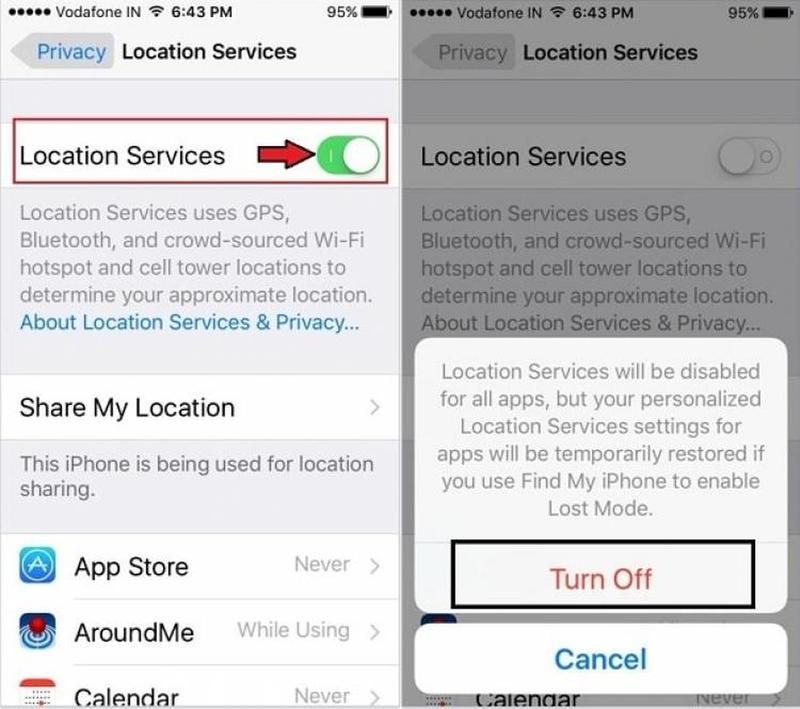
Go to Settings > Privacy > Location Services and just switch Location Services to off mode. You won't have to worry about your device knowing everything about your movements, but also bear in mind that a lot of your favorite features may not work as you'd like. For example, when you order an Uber and it knows exactly where to pick you up. Or when you're trying to find walking directions from your current location.