
This story may be a familiar one if you've got kids in the house. You download a free game designed for children, you pop into the shower while they're entertained with your phone, and ten minutes later they've somehow spent $50 on in-app purchases. Who knew the Smurfs could be your financial downfall? If this is all a little too close to home for you, we can tell you how to fix it.
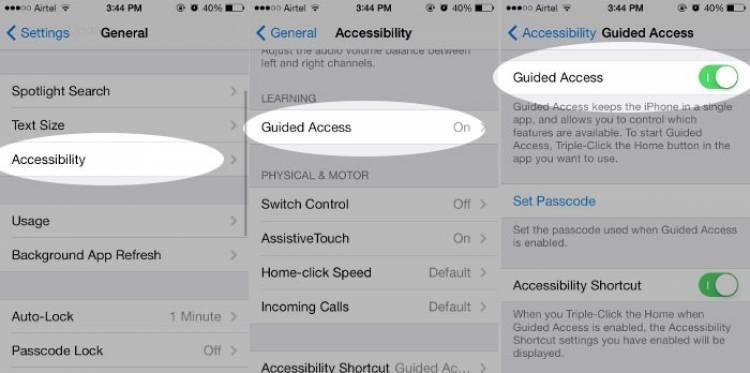
Go to Settings > General > Accessibility and activate 'guided access'. This will restrict certain interactions on your phone, including in-app purchases. Some adults even use guided access to keep themselves focused on tasks, as it will only let you work within a single app when switched on. So there you have it, a cure for meddling kids and procrastination all in one.